Is your child spending too much time on a phone, tablet, TV, or computer?
If you’re nodding right now, take a breath — you are not alone. Not even close.
Screens have quietly woven themselves into everyday family life. Kids reach for them to be entertained, to learn, to play games, to watch their favorite videos — and sometimes, let’s be honest, because you needed five quiet minutes to finish making dinner. That’s not a parenting failure. That’s just… life with kids today.
The honest answer isn’t a tidy “zero” or a clean “two hours.” It depends on your child’s age, what they’re watching, when they’re watching it, and — maybe most importantly — what that screen time is quietly replacing, like sleep, movement, play, reading, or time with you.
So let’s walk through it together: a simple, practical guide to help you make screen-time choices that feel good, without turning your home into a daily battleground.
How Much Screen Time Do Kids Actually Need?
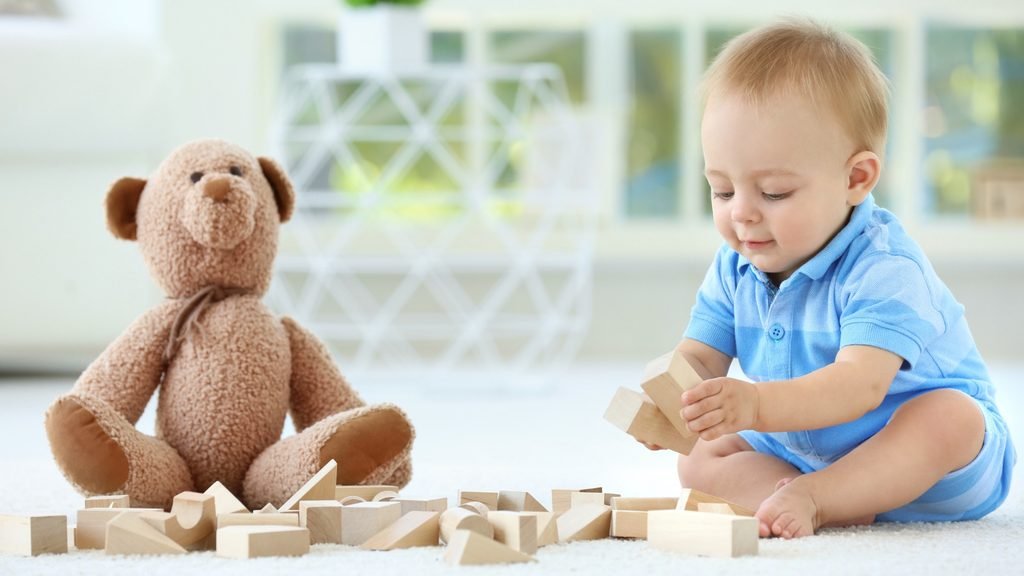
Here’s the truth: there’s no single magic number that fits every child. But health organizations do offer helpful, age-based guidance — especially for the youngest kids, whose brains and bodies are developing so fast.
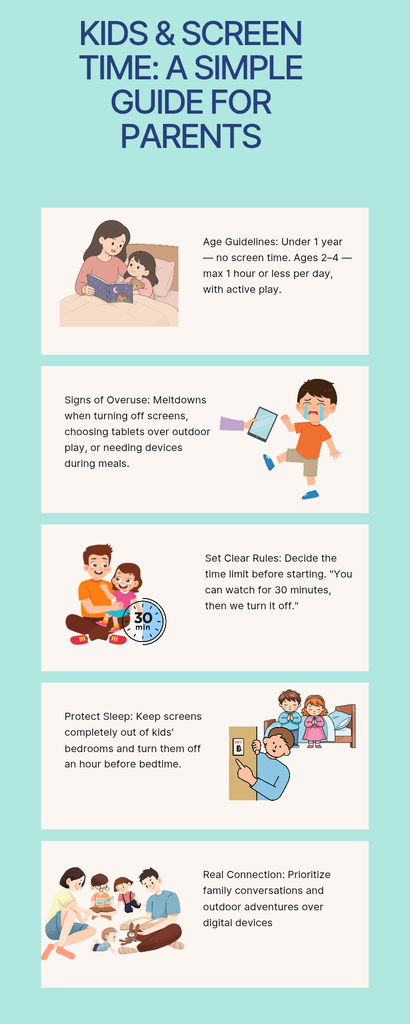
Babies under 1 year: The World Health Organization doesn’t recommend any sedentary screen time for infants. At this age, babies thrive on floor-based play, movement, singing, talking, reading, and simply looking into your eyes. (If your baby happens to glance at a screen now and then, that’s not a crisis — the real goal is just making sure screens never crowd out the things babies need most: connection, movement, and sleep.)
1-year-olds: WHO recommends avoiding sedentary screen time here too. Toddlers this age are learning by touching, moving, exploring, mimicking you, and hearing language in real conversation — not by watching a screen, however charming it is.
2-year-olds: No more than 1 hour of sedentary screen time a day, and less is better. A short educational show watched together, with you narrating and chatting about it, is a very different experience than hours alone with a tablet.
Ages 3–4: Same guidance — up to 1 hour a day, less is better. Active play still matters enormously here. WHO recommends at least 180 minutes of physical activity spread across the day, including 60 minutes of moderate-to-vigorous movement.
The Part Most Parents Miss

Here’s something worth sitting with: screen time isn’t only about the clock.
Two kids can each spend exactly one hour in front of a screen and have completely different experiences.
Child A: Watches a slow, gentle educational show curled up with a parent, chats about what’s happening on screen, then heads outside to run around.
Child B: Watches fast-paced videos alone for an hour right before bed, then can’t settle down to sleep.
Same hour. Wildly different impact.
That’s why the more useful question isn’t just “how long,” but:
“What is this screen time replacing?”
If it’s eating into sleep, physical activity, outdoor play, reading, conversation at the dinner table, or creative play, dialing back the screen time probably matters more than watching the minutes tick by.
7 Signs Your Child Might Be Getting Too Much Screen Time
There’s no single red flag that proves “too much.” But if a few of these sound familiar, it might be time for a gentle reset:
Turning off the screen sparks a meltdown — every time. A little grumbling is normal. But if it consistently escalates into screaming or prolonged distress, your current boundaries may need adjusting.
Screens are messing with sleep. The American Academy of Pediatrics recommends keeping screens out of kids’ bedrooms and switching them off at least an hour before bedtime, to help protect that all-important wind-down.
Your child picks screens over almost everything. Toys, books, outdoor play, family time — if these keep losing out to “just five more minutes,” it’s worth a closer look at the household rhythm.
Meals always come with a screen. If eating without a device feels impossible, try easing into screen-free meals. Mealtimes are some of the best built-in moments for connection.

Movement and outdoor play are quietly disappearing. Kids need to move. WHO’s guidance for young children centers on trading sedentary screen time for physical activity, while still protecting good sleep.
A screen is the automatic answer to every feeling. Handy in a pinch, sure — but if a device becomes the go-to response whenever your child is bored, upset, or restless, they may be missing chances to build other coping skills.
You genuinely can’t remember your last screen-free afternoon. That alone can be a quiet sign that screens have taken up more space in your routine than you realized.
How to Cut Back Without Constant Fighting
This is where so many of us get stuck. A flat “No more tablet!” often sparks an instant battle. These gentler strategies tend to work better:
Set the rule before the screen turns on: Try: “You can watch for 30 minutes. When the timer rings, we’ll turn it off.” Kids generally handle transitions better when they see them coming.
Use a visible timer: A timer takes the “bad guy” role off your shoulders — it just becomes part of the routine, not something you’re personally snatching away.
Replace screen time instead of just removing it: Instead of “No tablet,” try: “Tablet time is done — let’s build something together.” Have a go-to list ready: drawing, blocks, puzzles, reading, dancing, outdoor play, pretend play, or helping with a simple task.
Create screen-free zones: Pick a few spots to start. No screens at the dinner table, no screens in the bedroom, and no screens during family chats.
Protect bedtime fiercely: Aim for a calm final hour: bath → pajamas → story → cuddles → sleep — instead of video → game → argument → bed.
Watch together when you can: Co-viewing turns passive screen time into something richer. Ask questions like “What just happened?” or “Why do you think she did that?”
Let your child catch you putting your own phone down: Kids notice double standards. Sometimes the most powerful screen-time strategy has nothing to do with your child’s device — it’s putting your own away.
What About Educational Videos?
“Educational” is a reassuring word, but it doesn’t automatically mean unlimited screen time is fine. Before hitting play, it’s worth asking:
Is it age-appropriate and calm rather than overstimulating?
Does it spark curiosity?
Can I watch it with them and talk about it?
Is my child still sleeping enough, playing, and moving?
Is this replacing real-world interaction?
A screen can absolutely be a helpful tool. It just shouldn’t become your child’s entire environment.
A Simple Family Screen-Time Rule to Fall Back On
If you’re not sure where to start, try this: protect the essentials first.
Make sure your child is getting enough sleep, movement, play, family time, and learning — then let recreational screen time fit into whatever space is left.
For children under 5, WHO frames it as a 24-hour balance between physical activity, sedentary behavior, and sleep, rather than screen time viewed in isolation.
The Goal Isn’t a “Perfect” Screen-Free Childhood
You don’t need to feel guilty every time your child watches a cartoon, and you don’t need to toss every tablet in the house. You don’t need a completely screen-free childhood to be a good parent.
The goal is balance — a childhood with room for:
🌳 Outdoor adventures
📚 Books
🎨 Creativity
🧩 Puzzles
⚽ Physical activity
👨👩👧 Family conversations
😴 Good sleep
❤️ Real human connection
Screens can absolutely have a place in that life. They just shouldn’t take over the whole thing.
The Bottom Line
So, how much screen time should kids have?
For children under 5, WHO offers clear guidance: no sedentary screen time for infants and 1-year-olds, and up to 1 hour or less for 2-year-olds and children ages 3–4 — with less always being better.
But the bigger question isn’t only “how many minutes?” It’s also:
“What is my child missing because of those minutes?”
If screen time is quietly crowding out sleep, movement, play, reading, or connection with you, that’s your cue to rethink the routine. Build a family rhythm where screens have a place — without running the whole day.
🎁 Looking for Screen-Free Learning Activities?
Want to keep your little ones creatively engaged without a screen? Grab our free printable learning resources and fun activity packs over on Gumroad!